


When creating or editing attributes in the user profile (profile fields), validators can be added. These check user input for a specific format.
Different validators are available depending on the attribute type.
Available Validators for “Input Field” Type Attributes
Length
The “Length” validator checks whether the input has a specific minimum and/or maximum length.
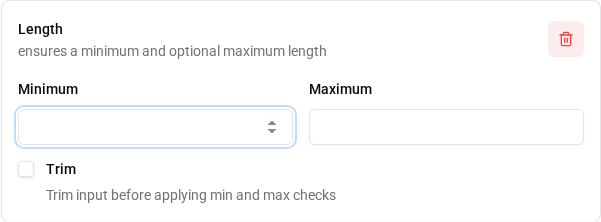
- “Minimum”: Defines the minimum number of characters the input must have.
- “Maximum”: Defines the maximum number of characters the input can have.
- “Trim”: Removes leading and trailing whitespace from the input before checking the length.
Possible error messages: * error-invalid-length or
error-invalid-length.[FIELD_NAME] *
error-invalid-length-too-short or
error-invalid-length-too-short.[FIELD_NAME] *
error-invalid-length-too-long or
error-invalid-length-too-long.[FIELD_NAME]
The “Email” validator checks whether the input is a valid email address.
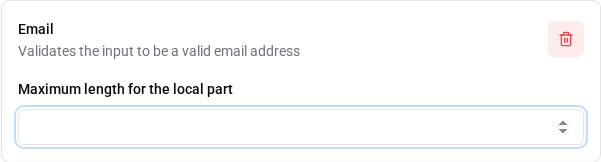
- “Maximum length for the local part”: Defines the maximum length of the local part of the email address (before the @ symbol). A value of 64 characters is recommended.
Possible error messages: * error-invalid-email or
error-invalid-email.[FIELD_NAME] *
error-non-ascii-local-part-email or
error-non-ascii-local-part-email.[FIELD_NAME]
Email MX Record
The “Email MX Record” validator checks whether the domain of the entered email address has an MX record.

An MX (Mail Exchange) record is a DNS record that specifies which mail servers are responsible for receiving emails for a specific domain. For email address validation, a DNS query is performed to check whether an MX record exists for the domain.
Possible error messages: * email-mxrecord.error.invalid
or email-mxrecord.error.invalid.[FIELD_NAME] *
email-mxrecord.error.failed or
email-mxrecord.error.failed.[FIELD_NAME]
Block Emails by Domain
The “Block Emails by Domain” validator checks whether the domain of the entered email address is on a defined blocklist.
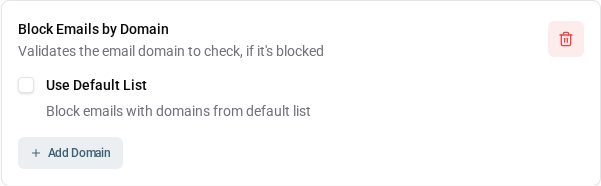
- “Use Default List”: If this option is enabled, a predefined list of domains that are often used for spam or fraudulent activities is used. If the entry is not enabled, only the user-defined domains are considered.
- “Add Domain”: Here you can specify additional domains that should be blocked.
Possible error messages: *
block-email-domain.error.default or
block-email-domain.error.default.[FIELD_NAME] *
block-email-domain.error.custom or
block-email-domain.error.custom.[FIELD_NAME]
Username Prohibited Characters
The “Username Prohibited Characters” validator checks whether the input of a username contains special characters that typically do not belong in usernames.

Prohibited characters include special characters such as
<, >, &,
", ', $, %,
!, #, ?, §,
,, ;, :, *,
~, /, |, ^,
=, [, ], {,
}, (, ), control characters, and
whitespace.
Note: This validator is ignored if “Email address as username” is enabled in the User Profile Settings. Therefore, this validator should really only be used for the “username” field.
Possible error messages: *
error-username-invalid-character or
error-username-invalid-character.[FIELD_NAME]
Username Not IDN Homograph
The “Username Not IDN Homograph” validator checks whether the input of a username contains potential IDN homograph attacks.

IDN homograph attacks use visually similar characters from different scripts (e.g., Latin and Cyrillic letters) to create deceptive copies of usernames. This validator helps prevent such attacks by ensuring that the username does not contain such character combinations.
Possible error messages: *
error-username-invalid-character or
error-username-invalid-character.[FIELD_NAME]
Person Name Prohibited Characters
The “Person Name Prohibited Characters” validator checks whether the input of a person’s name contains characters that typically do not belong in personal names (first, middle, and last names).

Prohibited characters include special characters such as
<, >, &,
", $, %, !,
#, ?, §, ;,
*, ~, /, |,
^, =, [, ],
{, }, (, ) and
control characters.
Possible error messages: *
error-person-name-invalid-character or
error-person-name-invalid-character.[FIELD_NAME]
Double
The “Double” validator checks whether the input is a valid number.
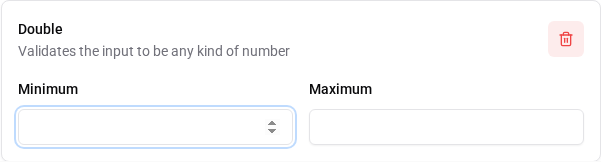
- “Minimum”: Defines the minimum value the input must have.
- “Maximum”: Defines the maximum value the input can have.
Possible error messages: * error-invalid-number or
error-invalid-number.[FIELD_NAME] *
error-number-out-of-range or
error-number-out-of-range.[FIELD_NAME] *
error-number-out-of-range-too-small or
error-number-out-of-range-too-small.[FIELD_NAME] *
error-number-out-of-range-too-big or
error-number-out-of-range-too-big.[FIELD_NAME]
Integer
The “Integer” validator checks whether the input is a valid integer.
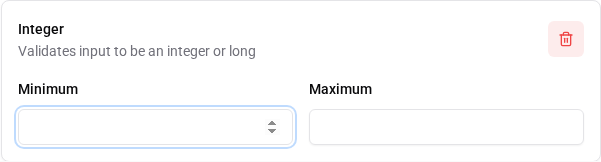
- “Minimum”: Defines the minimum value the input must have.
- “Maximum”: Defines the maximum value the input can have.
Possible error messages: * error-invalid-number or
error-invalid-number.[FIELD_NAME] *
error-number-out-of-range or
error-number-out-of-range.[FIELD_NAME] *
error-number-out-of-range-too-small or
error-number-out-of-range-too-small.[FIELD_NAME] *
error-number-out-of-range-too-big or
error-number-out-of-range-too-big.[FIELD_NAME]
ISO Date
The “ISO Date” validator checks whether the input is a valid date in the ISO 8601 format.

Possible error messages: * error-invalid-date or
error-invalid-date.[FIELD_NAME]
Local Date
The “Local Date” validator checks whether the input is a valid local date according to the user’s language settings.

Local date formats can vary depending on language and region. For
example, the format MM/DD/YYYY is commonly used in the
United States, while the format DD.MM.YYYY is common in
Germany.
Possible error messages: * error-invalid-date or
error-invalid-date.[FIELD_NAME]
Multiple Values
The “Multiple Values” validator checks whether the number of entered values is within a defined range (only for input fields with allowed multiple values).
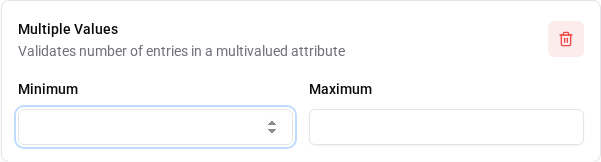
- “Minimum”: Defines the minimum number of values that must be entered.
- “Maximum”: Defines the maximum number of values that can be entered.
Possible error messages: *
error-invalid-multivalued-size or
error-invalid-multivalued-size.[FIELD_NAME]
Pattern
The “Pattern” validator checks whether the input matches a defined regular expression (regex).
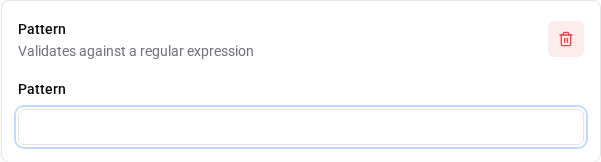
- “Pattern”: Defines the regular expression that the input must match. See also: MDN Web Docs: Regular Expressions
Possible error messages: * error-pattern-no-match or
error-pattern-no-match.[FIELD_NAME]
URI
The “URI” validator checks whether the input is a valid URI.
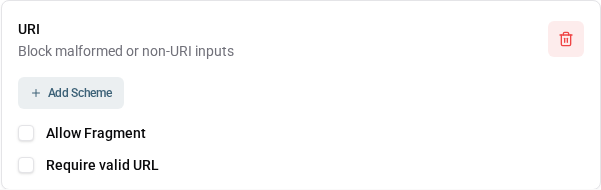
- “Add Scheme”: Here you can specify certain URI schemes (e.g.,
http,https,ftp) that are allowed. If no schemes are defined, all valid URI schemes are allowed. - “Allow Fragment”: If this option is enabled, URI fragments (the part
after the
#character) are allowed in the input. - “Require valid URL”: If this option is enabled, the input must be a valid URL (i.e., it must contain a scheme and a host).
Possible error messages: * error-invalid-uri or
error-invalid-uri.[FIELD_NAME] *
error-invalid-uri-scheme or
error-invalid-uri-scheme.[FIELD_NAME] *
error-invalid-uri-fragment or
error-invalid-uri-fragment.[FIELD_NAME]
CEL Program
The “CEL Program” validator checks whether the input can be validated using the defined CEL program.
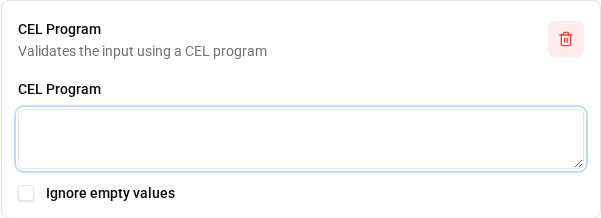
- “CEL Program”: Defines the CEL program used to validate the input. See also: CEL Functions
- “Ignore empty values”: If this option is enabled, validation is skipped when the input is empty.
Possible error messages: * The error messages depend on the CEL
program defined and can be customized within the CEL program itself. * A
field-specific error message can be defined by adding a key in the
format [CUSTOM_ERROR_KEY].[FIELD_NAME] to the localization
messages, and then returning an error with the corresponding
CUSTOM_ERROR_KEY from the CEL program when validation
fails.
Available Validators for “Checkbox” Type Attributes
Multiple Values
The “Multiple Values” validator checks whether the number of entered values is within a defined range.
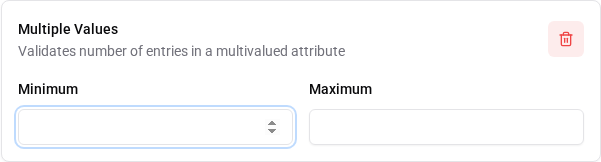
- “Minimum”: Defines the minimum number of values that must be entered.
- “Maximum”: Defines the maximum number of values that can be entered.
Possible error messages: *
error-invalid-multivalued-size or
error-invalid-multivalued-size.[FIELD_NAME]
Available Validators for “Date” Type Attributes
Age
The “Age” validator checks whether the entered date of birth results in an age within a defined range.
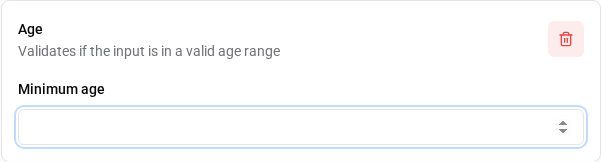
- “Minimum age”: Defines the minimum age that the input must have.
Possible error messages: * date-age.error.invalid or
date-age.error.invalid.[FIELD_NAME] *
date-age.error.min or
date-age.error.min.[FIELD_NAME]
 English